Mango9 Create documentation
AI editing and the timeline
Refine the creative direction and finish a sequence.
Decide what needs to change
Use Chat to describe the creative change you want, then review the proposed action. Generate revised material when needed. For timing, arrangement, and transitions, open the project's Editor.
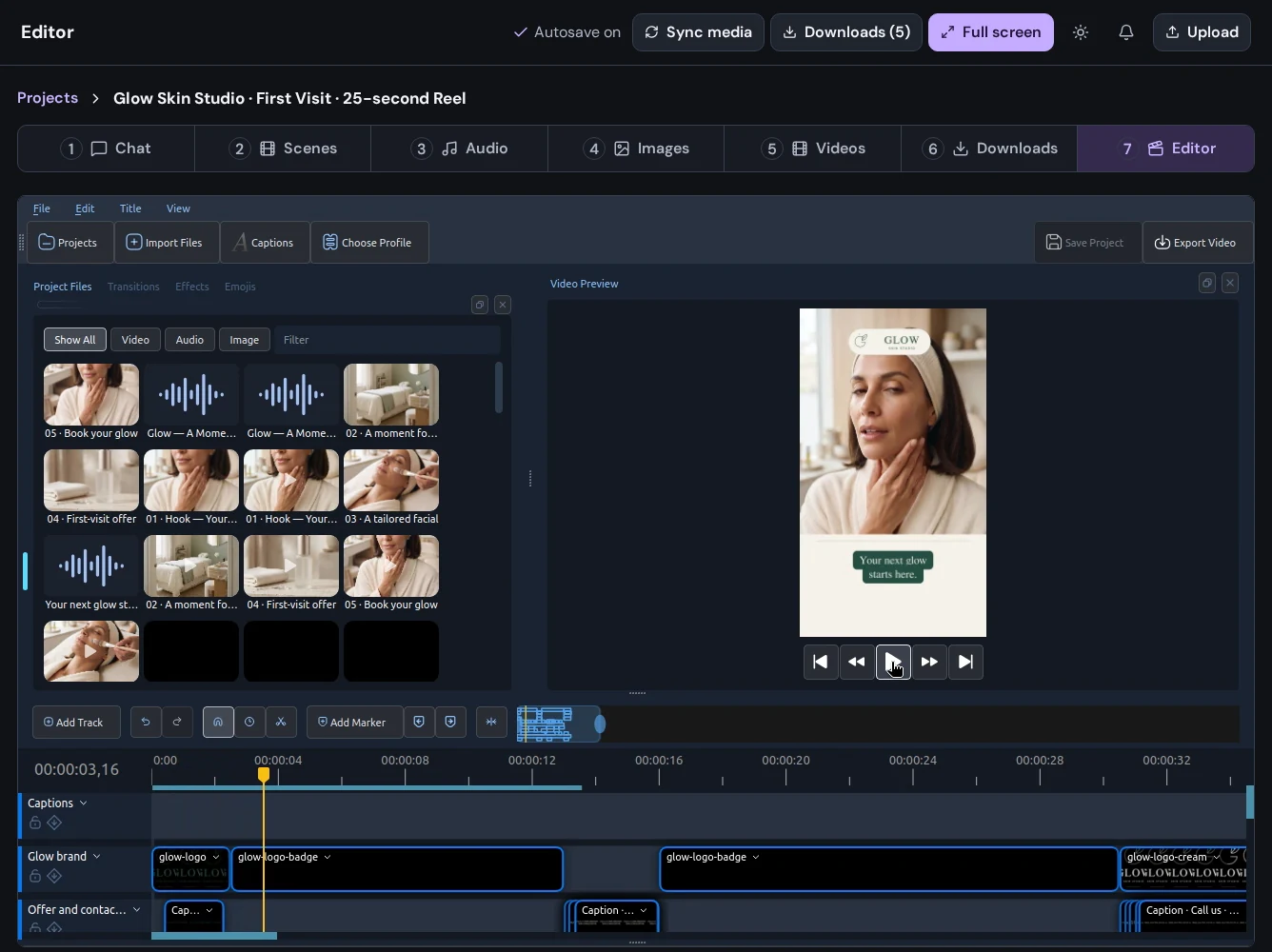
Work in the editor
- Open Editor from your project navigation.
- Wait for the editing workspace and project media to load.
- Arrange your images, video, and audio on the timeline.
- Adjust clip placement and timing, then preview the sequence.
- Review transitions, captions, and audio against the actual playback.
- Save your work and export when the sequence is ready.
Bring new media into the edit
If an asset was generated after you opened the editor, use Sync media to refresh the available project material. Keep your original assets available while comparing revisions.
Preview before export
Check the opening and closing frames, text legibility, audio levels, and timing. Play the exported file to review the finished video.