
What would you like to create today?
Your prompt follows you into Create after signup or login.
Your creative workspace
Just describe it.
Then make it real.
Go from a conversation to images, video, and voice. Refine your ideas, edit the result, and bring your next story together in one project.
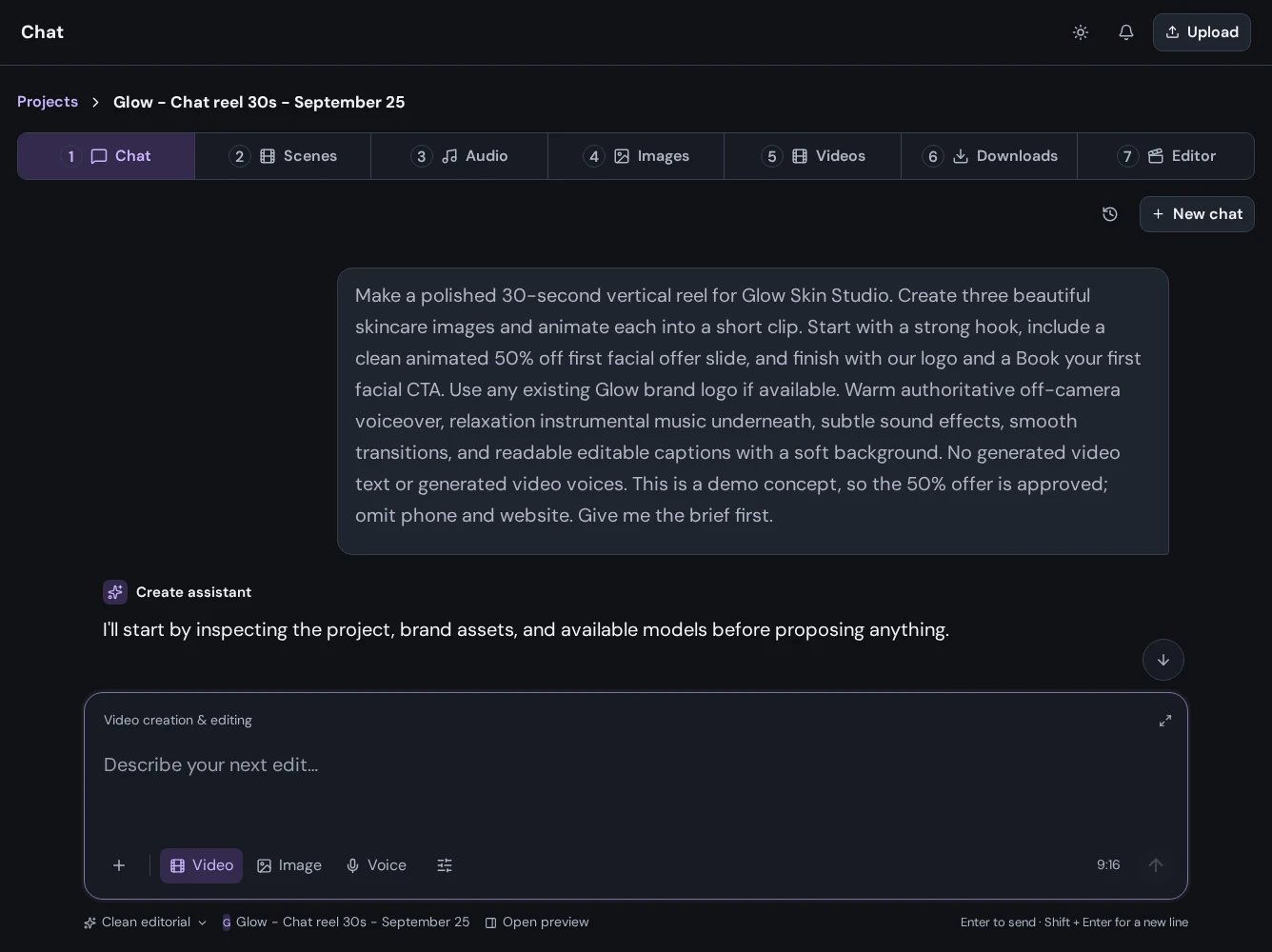
From the first idea to the final frame
A little imagination.
A whole lot you can create.
See the workflow through Glow, a real project made in Mango9 Create.
01 / Creative chat
Start with a conversation.
Describe your idea, bring your references, and work through the creative brief with AI. Keep the conversation connected to your project as you move from the first idea to the next edit.
- Image, video, and voice workflows
- Reference files alongside your instructions
- Project conversations you can return to
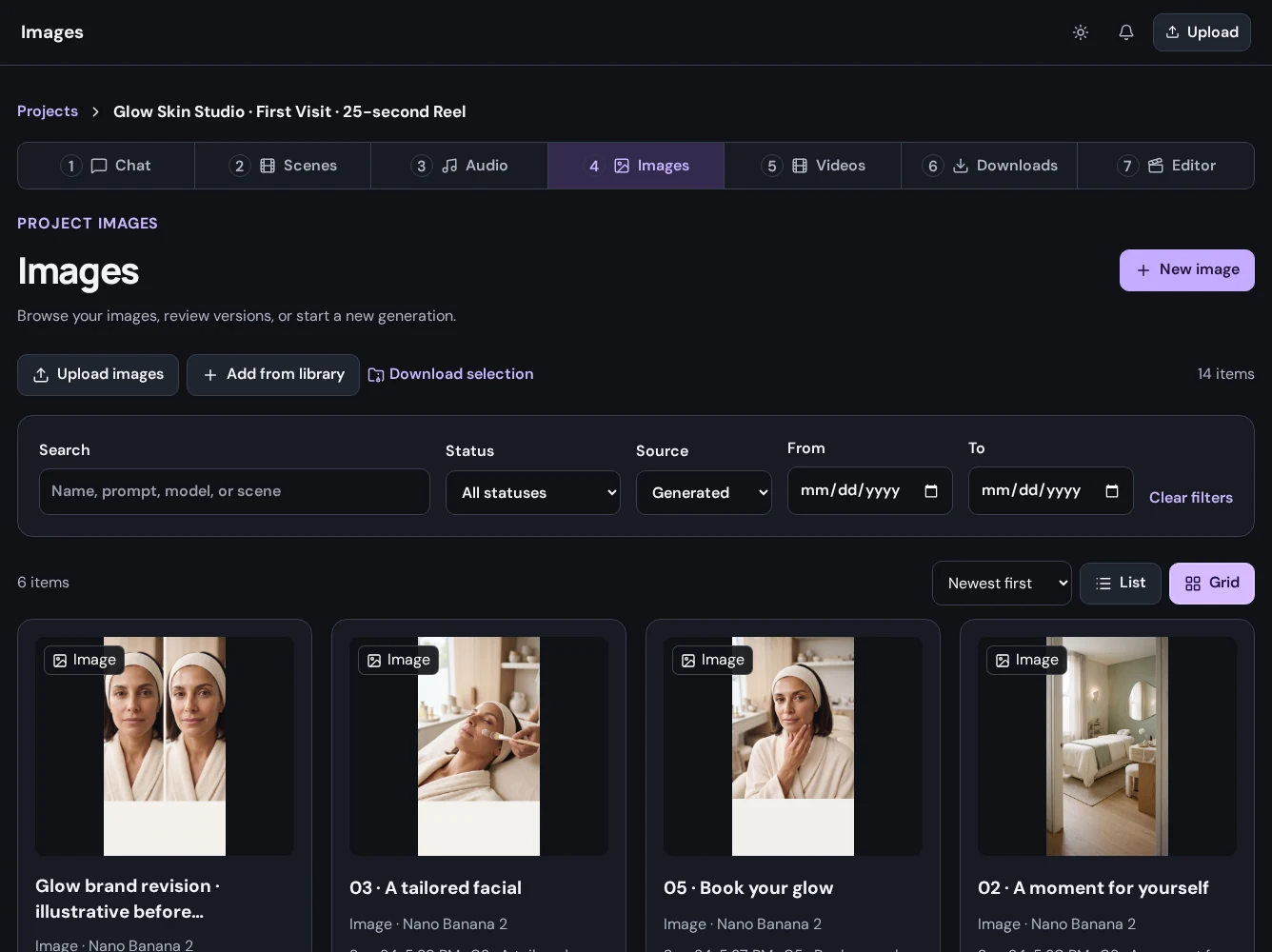
02 / Image generation
Give your idea a visual direction.
Create images from a prompt, work with references, and explore a new version without losing the original. Your project keeps the source material and the results together.
- Prompts, references, and model settings
- Generated images and uploaded assets
- Review, download, or regenerate as a new version
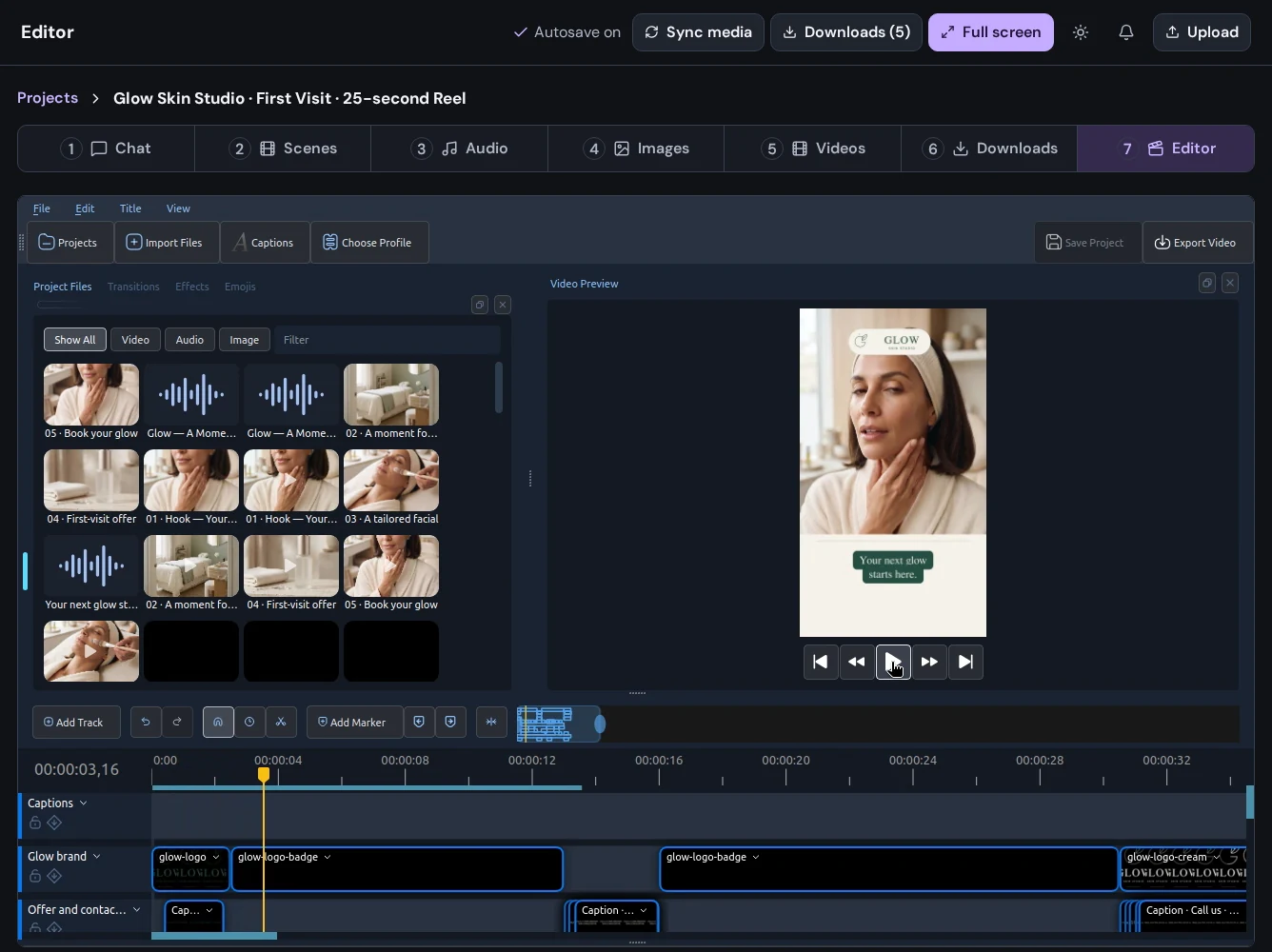
03 / AI editing & video editor
Make it yours. Then make it move.
Use chat to develop your next creative change, generate new material, and finish the sequence in the editor. Bring scenes, video, and voice together on a timeline you control.
- Scene-based image, video, and audio workflows
- Timeline editing, transitions, and preview
- Export a finished video and download your assets
One Mango9. Three ways forward.
Build it. Create for it. Grow it.
Make your next idea happen
Your story starts with a chat.
Already using Builder? Continue with your Mango9 account.
Explore the Create guides