How Can We Help You?
Answers, guides, and real humans — pick whichever gets you unstuck fastest.
Marketing OS Documentation
Comprehensive guides for the Mango9 Marketing OS platform.
View Marketing OS DocsBuilder Documentation
Learn how to create, customize, and launch apps with Agent 16 Builder.
View Builder DocsPhone Support
Speak directly with our team for immediate help during business hours.
Call 1-844-400-0007Frequently Asked Questions
What is Mango9?
Do I need to know how to code?
What can I build?
How does pricing work?
Where do my apps run?
How fast will support get back to me?
Every Charge, Fully Transparent
Your Billing dashboard is the single place to see exactly what you're spending. Every AI model build is itemized — so you always know where your credits go, down to the individual request.
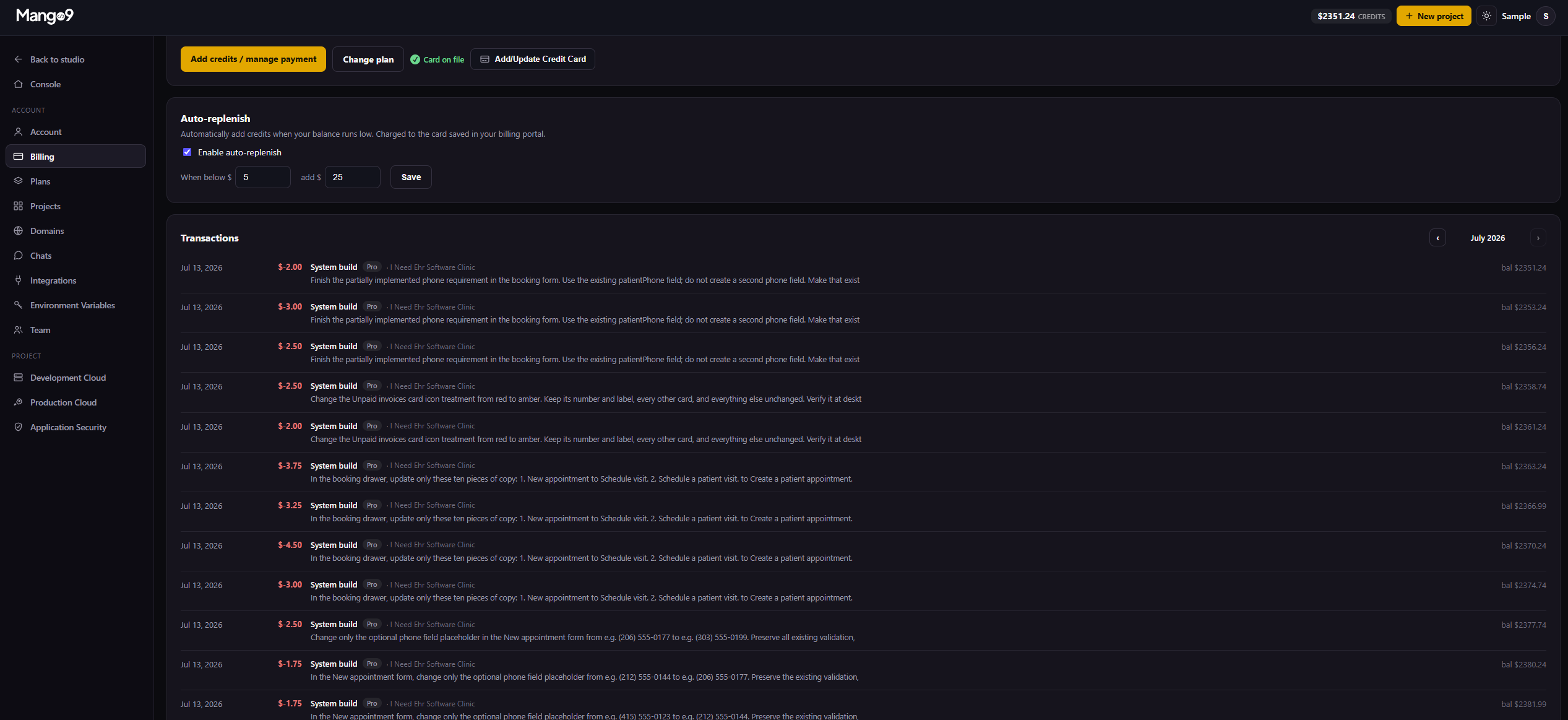
At the top you'll find your live credit balance with one-click controls to add credits, change your plan, and manage the card on file. Below that, the Transactions log lists every system build — the plan tier, the project, the exact prompt used, the amount charged, and your running balance after each one. Nothing is hidden and there are no surprise invoices.
Itemized model charges
Each AI build shows its cost and the prompt behind it, so you can trace every credit spent back to the work it produced.
Auto-replenish
Set a threshold and a top-up amount — when your balance runs low, credits are added automatically from your saved card so builds never pause.
Monthly statements
Browse transactions by month with a running balance, making it simple to reconcile usage and export what you need for your records.
Your App Starts With a Conversation.
Tell our AI what you want to build, and it'll help you book an appointment with the right app expert.
support@mango9.com · Business hours, Pacific Time