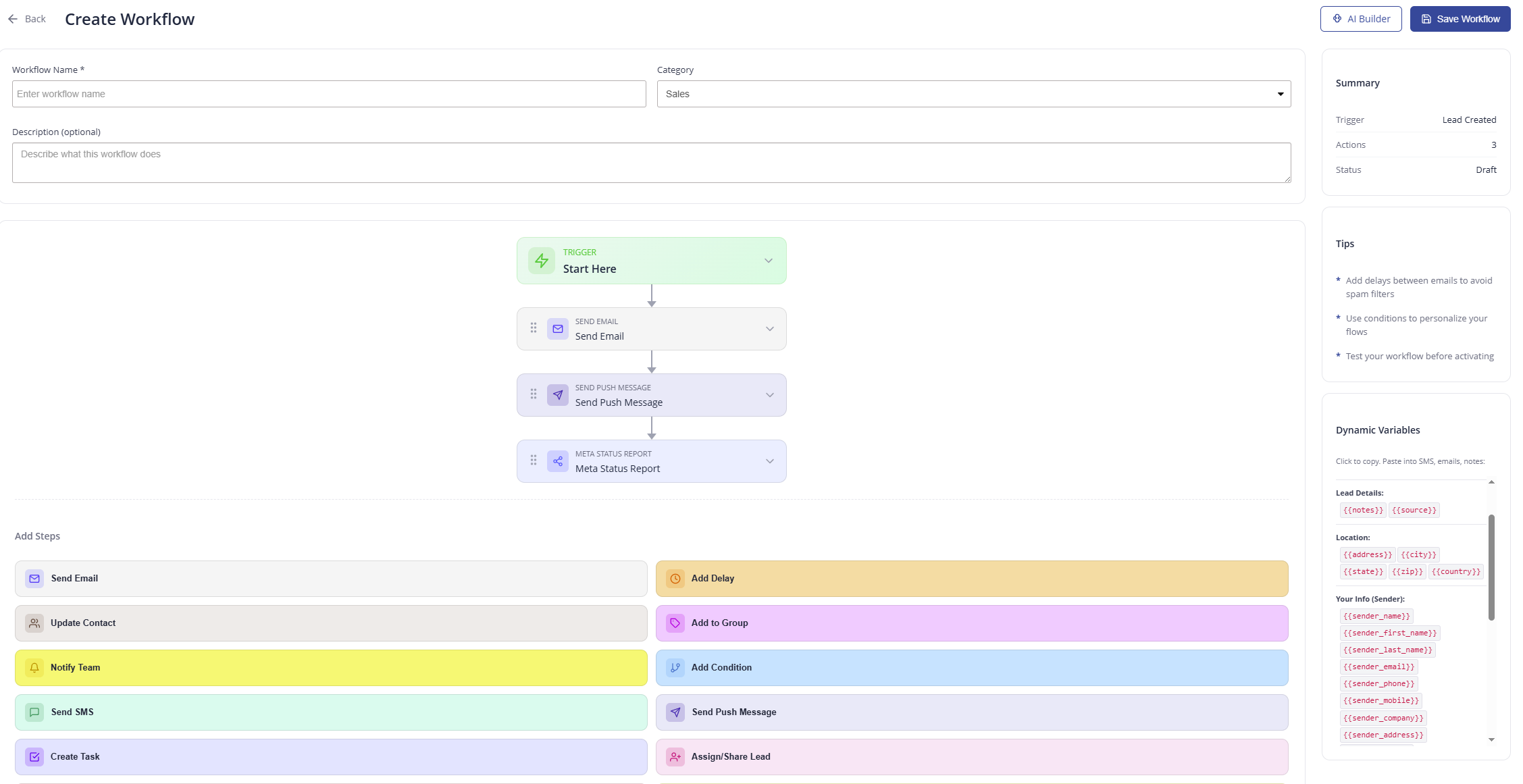
Drag, Drop, and Automate Your Entire Pipeline
Start with a trigger, then stack steps like Send Email, Send Push Message, and Meta Status Report. Reorder them on a visual canvas, add conditions and delays, and watch your workflow come to life.
Add steps from a rich palette
Automation That Thinks for You
Triggers, conditions, and delays work together so every lead gets the right touch at the right time.
Event Triggers
Kick off a workflow automatically when a lead is created, a status changes, a form is submitted, and more.
Conditional Logic
Branch your flows with conditions so each lead gets the right message based on their data and behavior.
Smart Delays
Space out emails and messages to avoid spam filters and reach contacts at exactly the right moment.
Just Describe It — AI Builds the Workflow
Pick a ready-made template or describe your automation in plain words. The AI Workflow Builder assembles the steps for you, so you can launch flows in seconds instead of minutes.
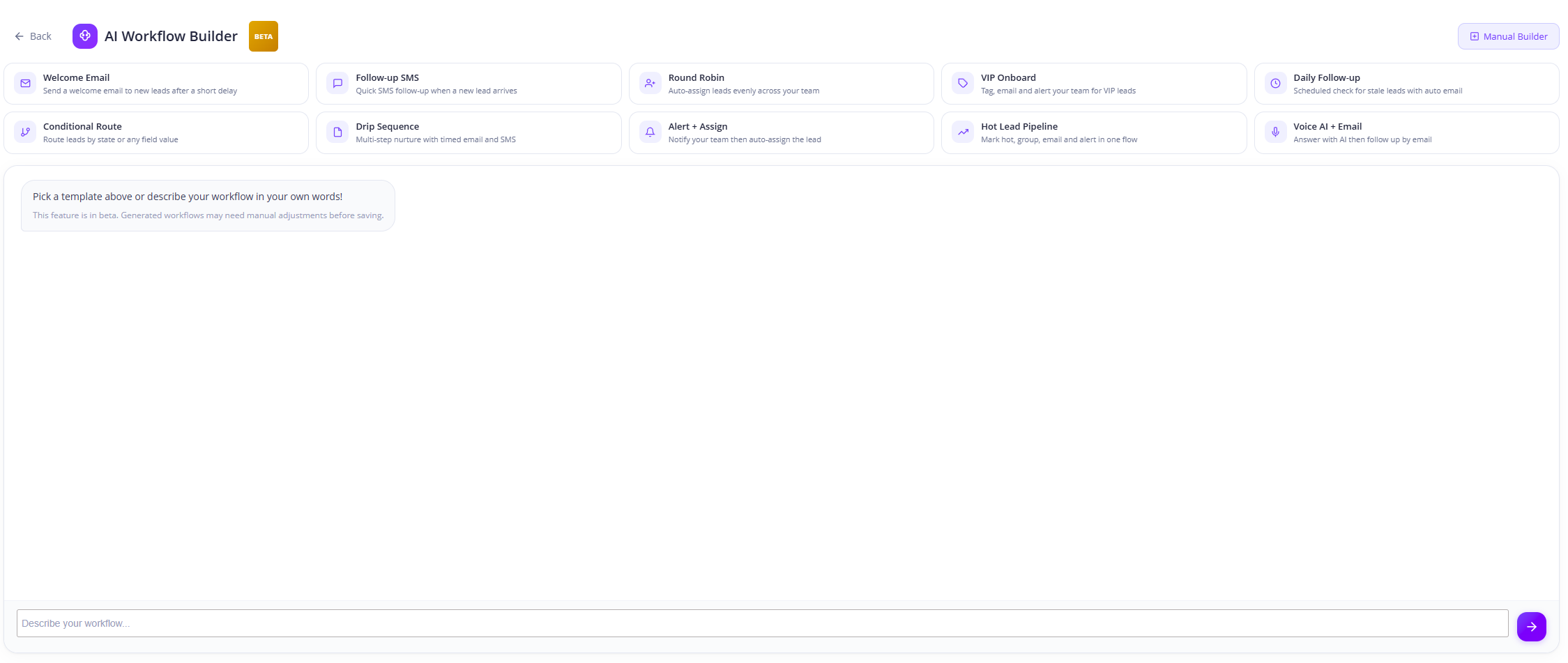
Plain-Language Prompts
Type what you want and the AI builds the workflow for you.
Prebuilt Templates
Start from Welcome Email, Drip Sequence, Hot Lead Pipeline, and more.
Refine in Manual Builder
Switch to the visual editor anytime to fine-tune the generated flow.
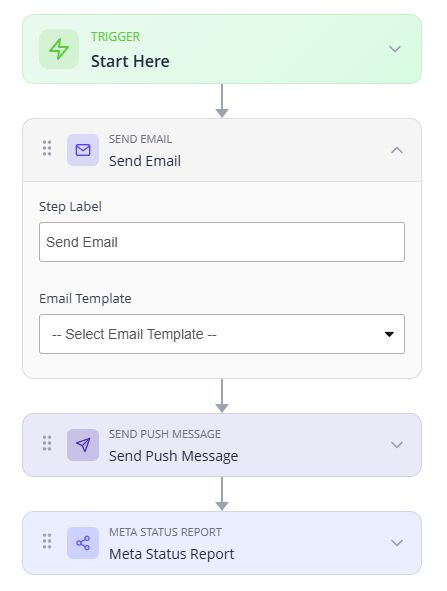
Chain Steps Together and Personalize Everything
Connect steps in sequence — email, then a push message, then a status report — and drop dynamic variables into any message so each contact feels like you wrote it just for them.
Click to copy. Paste into SMS, emails, notes:
Everything You Need to Automate
An advanced automation engine for teams and individuals — built right into Mango9.
AI Workflow Builder
Describe what you want and let AI assemble the workflow for you
Drag-and-Drop Canvas
Reorder and connect steps visually with a simple, intuitive editor
Dynamic Variables
Personalize every message with lead, location, and sender data
Multi-Channel Steps
Combine email, SMS, push, and tasks in a single automated flow
Categories & Templates
Organize workflows by category and reuse proven templates
Test Before You Launch
Validate every workflow as a draft before you activate it live