Mango9 Create documentation
Creative chat
Develop your brief and return to your project conversations.
Start with a useful brief
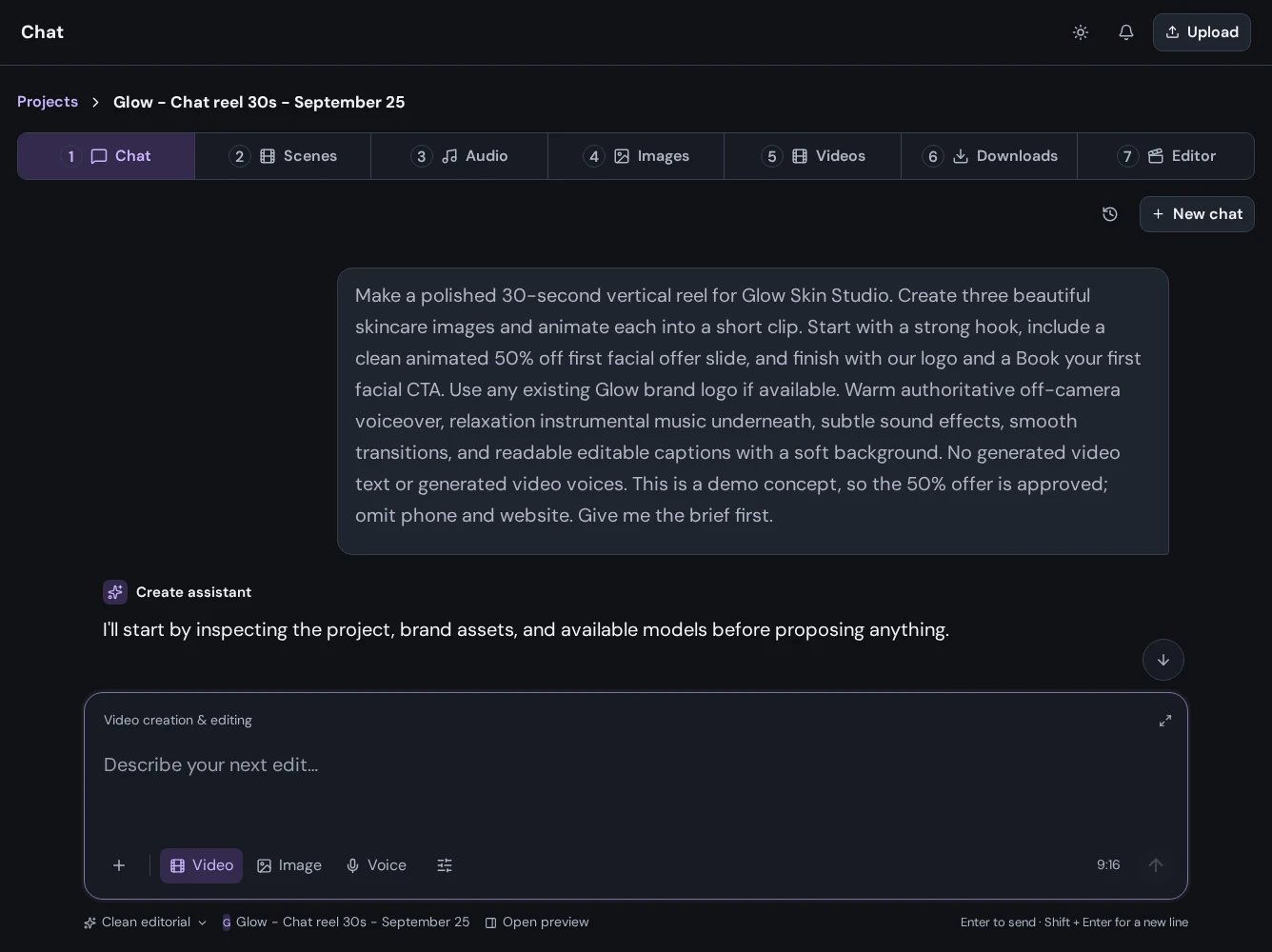
Explain what you are making, who it is for, the desired format, and what should happen at the end. For example: “Help me plan a short skincare studio reel with a calm visual style and a booking call to action.”
Work in a project
Open a project before using Chat. The conversation belongs to that project, so you can return to its creative direction as you work through images, voice, and video. Use Conversation history to reopen earlier threads or New chat for a separate direction.
Choose the creative mode
Use the Image, Video, or Voice controls to focus your request. Attach reference media where useful. Wait for uploads to finish before submitting a message.
Review before acting
Review the creative brief and approve the work you want to generate. Follow job progress in your project, then open Images, Videos, or Audio to review the completed results.
Refine your work
Be specific about the next change: composition, tone, pacing, voice, or a particular scene. Review the new result and keep the version that works for your project.